All your tabs.
Saved in one click.
You're closing a session with 30 tabs open and no time to bookmark them all. One click. Every tab title and URL — saved to a text file. Offline. Zero tracking. Yours.
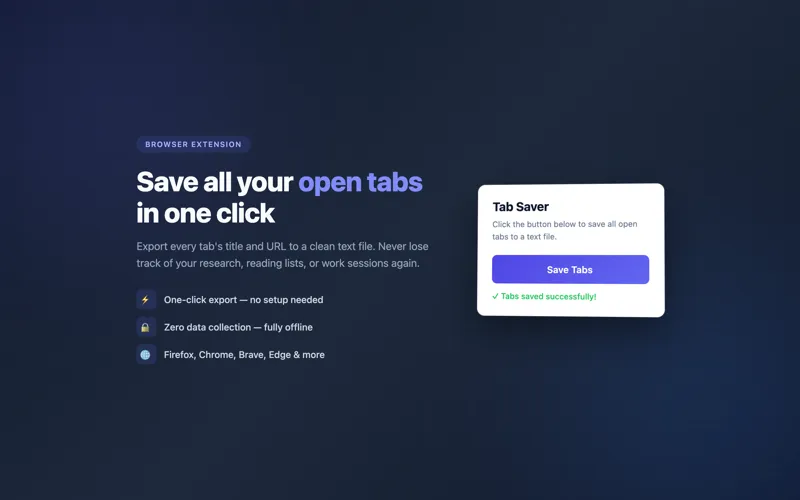
Simple, honest, private
No dark patterns. No sign-up wall. Just a button that does what it says.
One-Click Save
Click the extension icon. Every open tab in every window is instantly written to a text file — title and URL, one per line, ready to share or archive.
Zero Tracking
No analytics. No telemetry. No network requests at all. The extension does not know you exist — it just moves data from your browser to your hard drive.
Fully Offline
Works with no internet connection. No server, no API, no cloud dependency — everything happens locally inside your browser.
Chrome + Firefox
Available as a browser extension for Chrome, Chromium-based browsers (Edge, Brave, Arc), and Firefox. One codebase, both platforms.
Open Source
Full source code on GitHub under the MIT license. Read every line before you install. Fork it, modify it, ship your own version — it's yours.
Clean Text Format
The output is a plain .txt file — one tab per line with title and URL. Open it in any editor, paste it into a document, send it in Slack, or commit it to a repo.
Instant — No Setup
Install the extension, click the icon, done. No configuration screen, no preferences to set, no account to create. It works the moment it's installed.
Free Forever
No freemium model, no "pro" tier, no 30-day trial. Open source means open source — it's free today and it will be free when you need it in two years.
The tab archiver you didn't know you needed
If you work in a browser, you've been there: a session with 20, 30, 40 tabs. Research in progress. Links you meant to read. Threads you meant to finish. And then the moment arrives — you need to close the laptop, or the battery dies, or you just need a clean slate — and there's no good way to preserve all of it.
Bookmarking 40 tabs takes time and creates clutter you'll never clean up. Browser session restore is fragile and tied to a single device. And cloud sync tools come with accounts, privacy implications, and vendor lock-in.
Tab Saver solves this in one click: press the button, get a text file, close your tabs without regret.
Why we built it
We built Tab Saver because we kept running into the same situation in our own workflows. As a media and tech company, our team members accumulate research tabs constantly — product research, competitor analysis, article drafts, reference material. The options were bad: keep the tabs forever and slow the browser down, or lose the context.
We wanted a tool with zero friction and zero trust requirements. Not a sync service you have to log into. Not a cloud bookmark manager. Just a browser extension that writes your tab list to a file and nothing else. Tab Saver is that tool.
Who uses Tab Saver
- Researchers and students accumulating sources for a paper or project
- Developers who collect documentation, Stack Overflow answers, and GitHub issues during a debugging session
- Product managers and analysts saving competitive intel and market research
- Journalists and writers preserving research sessions before filing a story
- Anyone who's ever had too many tabs and no good way to close them
Privacy by design
Tab Saver requests only the permissions it needs: access to your tabs. It makes zero network requests. There is no server-side component, no analytics script, no usage tracking of any kind. The source code is published on GitHub so you can verify this yourself before installing.
We believe tools that handle sensitive data — like your browsing history — should be auditable. Open source is the only honest approach.
Common questions
Is Tab Saver free?
Yes. Tab Saver is completely free and open source under the MIT license. No subscription, no account, no payment of any kind.
Which browsers does Tab Saver support?
Tab Saver is available for Chrome (and Chromium-based browsers like Edge, Brave, and Arc) and Firefox.
Does Tab Saver track my browsing?
No. Tab Saver makes zero network requests. It has no analytics, no telemetry, and no servers. Your tab data never leaves your device.
What format does Tab Saver use for the saved file?
Tab Saver exports a plain text file (.txt) with each tab's title and URL on its own line. The format is human-readable and can be opened in any text editor.
Can I restore my tabs from the saved file?
Tab Saver is a one-way export tool — it saves your current tabs to a file. To restore, you can copy URLs from the file and paste them into your browser. We may add a restore feature in a future version.
Does it work offline?
Yes. Tab Saver is entirely local — it runs inside your browser with no internet connection needed. It works the same whether you're online or offline.
Is Tab Saver open source?
Yes. The full source code is available on GitHub under the MIT license. You can read exactly what the extension does before installing it.
Close your tabs.
Keep your context.
One click. A text file. No tracking. Free forever.
Get Tab Saver on GitHub (opens in new tab)