Speak Arabic Flawlessly —
Your Free Arabic Teleprompter Online
Stop losing your place mid-take. Paste your Arabic script, set your pace, and present with confidence — no installation, no account, completely free.
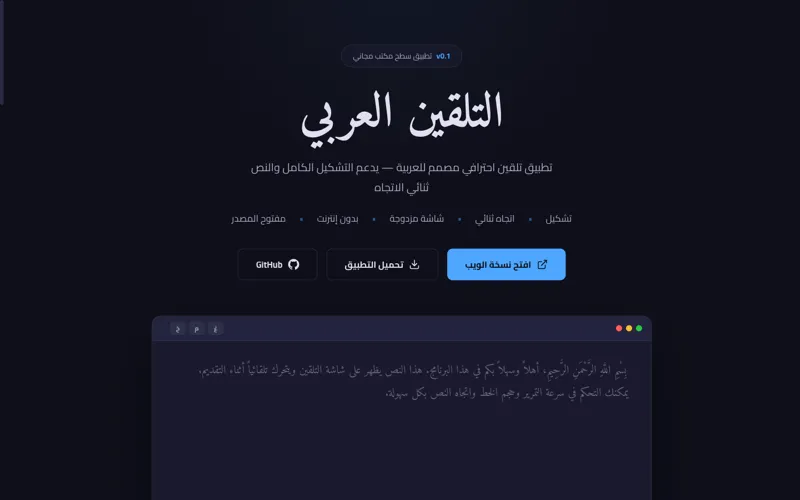
Built for Arabic presenters
Everything a professional teleprompter needs — without the hardware cost.
Native RTL Support
The entire teleprompter is built for right-to-left Arabic text. No direction hacks, no layout bugs — just correct Arabic rendering from the start.
Mirror Mode
Flip the text horizontally for use with professional teleprompter glass. Your script displays correctly through a beam splitter in front of your camera lens.
Adjustable Scroll Speed
Speak at your natural pace. Dial the scroll speed up or down until the teleprompter matches exactly how you talk — slow for complex material, faster for conversational takes.
Font Size Control
Increase text size until it's clearly readable from a distance. Particularly important for Arabic script, where small diacritics (tashkeel) can be hard to read at normal sizes.
Fullscreen Mode
One click takes the teleprompter fullscreen. No browser chrome, no distractions — just your script filling the entire display so you can read from any distance.
Works on Any Device
No app to install. Run it in Safari, Chrome, or Firefox on desktop, tablet, or phone. Prop up your phone and use it as a portable teleprompter wherever you record.
Private by Default
Your script never leaves your browser. Nothing is uploaded to a server. When you close the tab, your text is gone. No accounts, no storage, no data collection.
100% Free
No subscription. No "free tier with limits." The full teleprompter — all features, all the time — completely free. Built and maintained by Alsheikh Media as a gift to Arabic creators.
The teleprompter Arabic creators have been missing
If you create video content in Arabic, you know the problem. Most teleprompter tools on the market were built for English. They treat Arabic as an afterthought — the text might display RTL, but the experience is clunky, the fonts are wrong, and the scroll often breaks mid-script.
We built Arabic Teleprompter because we needed it ourselves. As a media company based in Abu Dhabi producing Arabic content for creators and broadcasters, we couldn't find a free tool that just worked. So we built one — and made it free for everyone.
Who it's built for
Arabic Teleprompter is used by:
- YouTube creators recording scripted videos in Arabic or mixed Arabic-English
- TikTok and Reels creators who need to deliver tight, punchy scripts to camera
- TV and broadcast presenters who need mirror mode for glass teleprompter setups
- Corporate presenters and speakers delivering keynotes in Arabic
- Teachers and educators recording Arabic-language lessons and lectures
- Journalists and reporters presenting news pieces to camera
- Podcasters who script their intros and segment bridges
Why RTL matters more than you think
Arabic is a right-to-left language. On a teleprompter, that means the text must scroll from a correctly right-aligned starting point, with line breaks falling in the right places for Arabic grammar, and diacritical marks (tashkeel) rendering correctly above and below letters. A teleprompter that gets these details wrong forces presenters to mentally re-parse broken text mid-take — exactly the problem a teleprompter is supposed to solve.
Arabic Teleprompter handles all of this natively. The scroll direction, the text alignment, the font rendering — it all just works.
How to use it
Using the Arabic Teleprompter takes under a minute to set up:
- Open the teleprompter at arabicteleprompter.alsheikhmedia.com
- Paste your Arabic script into the text area
- Adjust the font size until it's clearly readable from your shooting distance
- Set your scroll speed to match how quickly you naturally speak
- If you're using teleprompter glass in front of your lens, enable Mirror Mode
- Click Fullscreen and start recording
No account. No upload. No waiting. Just your script, scrolling at your pace.
Common questions
Is Arabic Teleprompter free to use?
Yes. Arabic Teleprompter is completely free. No account, no subscription, no credit card — just open it and start presenting.
Does it support right-to-left Arabic text?
Yes. The entire interface is built for native Arabic RTL text. Just paste your Arabic script and it scrolls correctly from right to left.
Do I need to install anything?
No installation needed. Arabic Teleprompter runs entirely in your browser — on desktop or mobile. Open the link and you're ready.
What is mirror mode?
Mirror mode flips the text horizontally so it can be read through a beam splitter or teleprompter glass in front of a camera lens. This is the standard setup used by TV presenters and professional video creators.
Can I use it for YouTube videos in Arabic?
Absolutely. It was built specifically for Arabic content creators on YouTube, TikTok, Instagram, and other platforms. Paste your script, adjust the speed, and record without losing your place.
Does it work on mobile?
Yes. The teleprompter is responsive and works on phones and tablets. You can prop your device up and use it as a mobile teleprompter.
Is my script stored anywhere?
No. Your text is never sent to a server or stored anywhere. Everything stays in your browser session. When you close the tab, the script is gone.
Your next take starts here.
Free, in-browser, Arabic-native. No sign-up, no fuss.
Launch Arabic Teleprompter (opens in new tab)