RTL layout, Arabic typography, and locale-aware design are harder than most devs expect. After building three products for the UAE market, here's what we learned the hard way.
Building for the UAE market means building for two languages, two text directions, two typographic systems, and two cultural contexts — sometimes in the same view. After shipping three products here (this site, Ghaseel, and Helpyard), here’s an honest accounting of what we got wrong, what we fixed, and what we’d do differently from day one.
RTL Is Not Just direction: rtl
The first mistake every developer makes: applying direction: rtl to a container and calling it done. It fixes text alignment. It breaks almost everything else.
Margins and paddings are not automatically flipped. margin-left stays left. If you mean “start of the reading direction”, use margin-inline-start. This is logical property syntax, and it’s the correct abstraction. It’s also supported in every modern browser.
/* Wrong approach */
.card { padding-left: 1.5rem; }

/* Correct — works in both LTR and RTL */
.card { padding-inline-start: 1.5rem; }
Flexbox direction doesn’t reverse automatically. flex-direction: row in RTL still renders items left to right unless direction: rtl is set on the element. This catches developers off-guard in nested components.
Absolute positioning is direction-naive. left: 0 always means the physical left edge, not the logical start. Use inset-inline-start for layout that needs to respect direction.
Arabic Typography Is Its Own Discipline
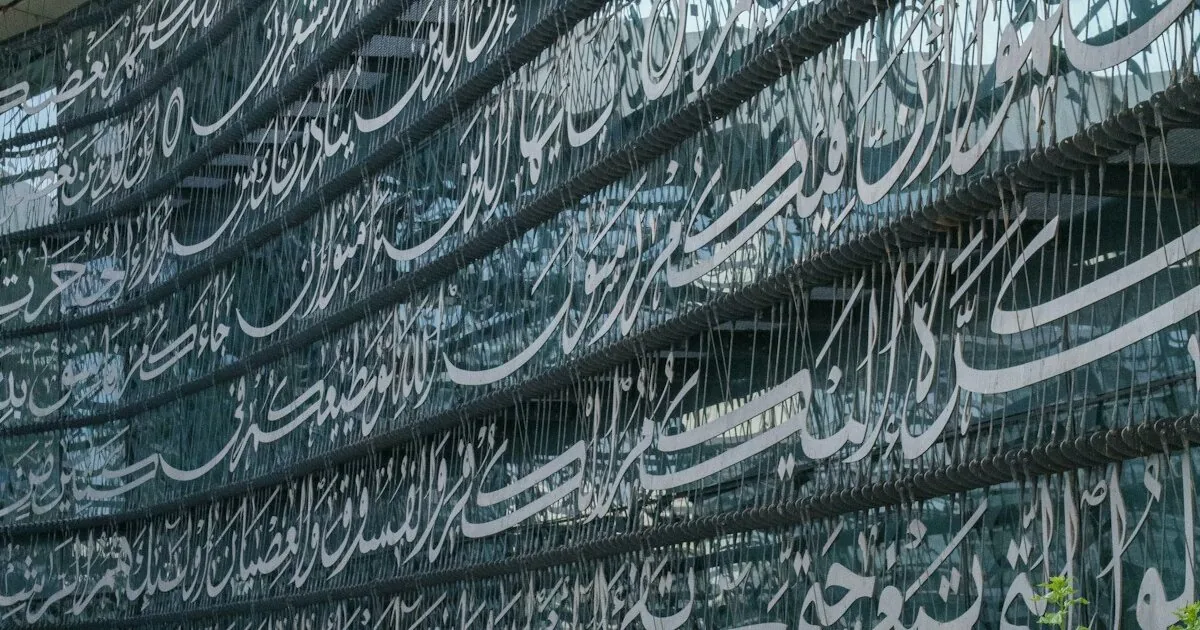
Arabic type has requirements that Latin fonts ignore. Ligatures — where letters connect and reshape based on position — must render correctly or text becomes unreadable. The browser does most of this automatically when you use proper Arabic fonts with full Unicode support, but font selection matters.
Cairo (Google Fonts) is our default Arabic typeface across all products. It’s a clean, modern grotesque with full Arabic character set, good hinting, and reasonable file sizes. It has a companion Latin character set, which helps if you’re mixing languages.
Avoid letter-spacing with Arabic. Letter spacing breaks ligatures. What makes Latin text feel elegant and airy will make Arabic text look broken and wrong. If you’re applying spacing for design reasons, scope it to Latin text specifically.
Line height for Arabic is different. Arabic characters sit on and below the baseline differently than Latin. What feels comfortable for Latin body text (1.5×) often feels cramped for Arabic. We use 1.7–1.8 for Arabic body copy.
i18n Routing in Astro
We chose Astro for this site specifically because of its static output and flexibility on routing. Our setup:
/en/prefix for English routes/ar/prefix for Arabic routeslanganddirset on<html>per-page- A shared layout that accepts
langas a prop and derives RTL behavior
---
const { lang } = Astro.props;
const isRTL = lang === 'ar';
---
<html lang={lang} dir={isRTL ? 'rtl' : 'ltr'}>
The hreflang alternates are critical for SEO:
<link rel="alternate" hreflang="en" href="https://alsheikhmedia.com/en/..." />
<link rel="alternate" hreflang="ar" href="https://alsheikhmedia.com/ar/..." />
<link rel="alternate" hreflang="x-default" href="https://alsheikhmedia.com/" />
Missing these means Google indexes both pages independently and may not show the right version to Arabic-speaking users.
The Default Language Decision
Our root path (/) redirects to /en/ via a single index.astro file that uses Astro.redirect. We chose English as default based on our analytics showing ~60% of early traffic from English-language search terms, but this is a call you need to make based on your audience.
An alternative is geo-based detection via Cloudflare Workers: inspect CF-IPCountry and redirect to /ar/ for GCC countries. This is elegant but adds latency for first-time visitors and creates complications for shared links and crawlers. We haven’t implemented it yet.
Testing RTL Without an Arabic-Speaking QA Team
If you don’t have Arabic speakers reviewing your UI, here are three useful checks:
-
The Chrome DevTools forced RTL test. Temporarily add
html { direction: rtl !important; }in DevTools and scroll through every page. You’ll immediately spot broken icons, misaligned dropdowns, and layout reflows. -
The mirroring check. A correctly implemented RTL layout is nearly a mirror image of the LTR layout. If some elements don’t mirror, they probably should.
-
Real Arabic text, not placeholder. Lorem ipsum in Arabic (there are generators) is better than English placeholder in RTL context, but nothing replaces actual Arabic content. Arabic words vary dramatically in length, which surfaces text overflow issues you’ll never see in Latin character sets.
What We’d Do Differently
Use logical CSS properties from day one. Don’t wait until RTL is “in scope” to use inline-start instead of left. It’s the same amount of typing, and refactoring 300 CSS rules later is miserable.
Write your Arabic copy in the same iteration as English. Translation after the fact leads to copy that is grammatically correct but feels translated. Arabic has its own idioms, formality levels, and natural rhythms. A native speaker writing from scratch beats a translation every time.
Finally: test on actual devices in the region. UAE users skew heavily mobile, with a mix of iOS and Android. If you’re only testing on a desktop MacBook in Safari, you’re missing a significant portion of your audience’s actual experience.
Building bilingual isn’t twice the work. It’s maybe 1.3× the work if you set it up correctly from the start. Get the foundations right, and the second language is mostly a content problem, not an engineering one. For more on the content side of that equation, see The Arabic Content Gap: Why Businesses Are Losing the MENA Market.