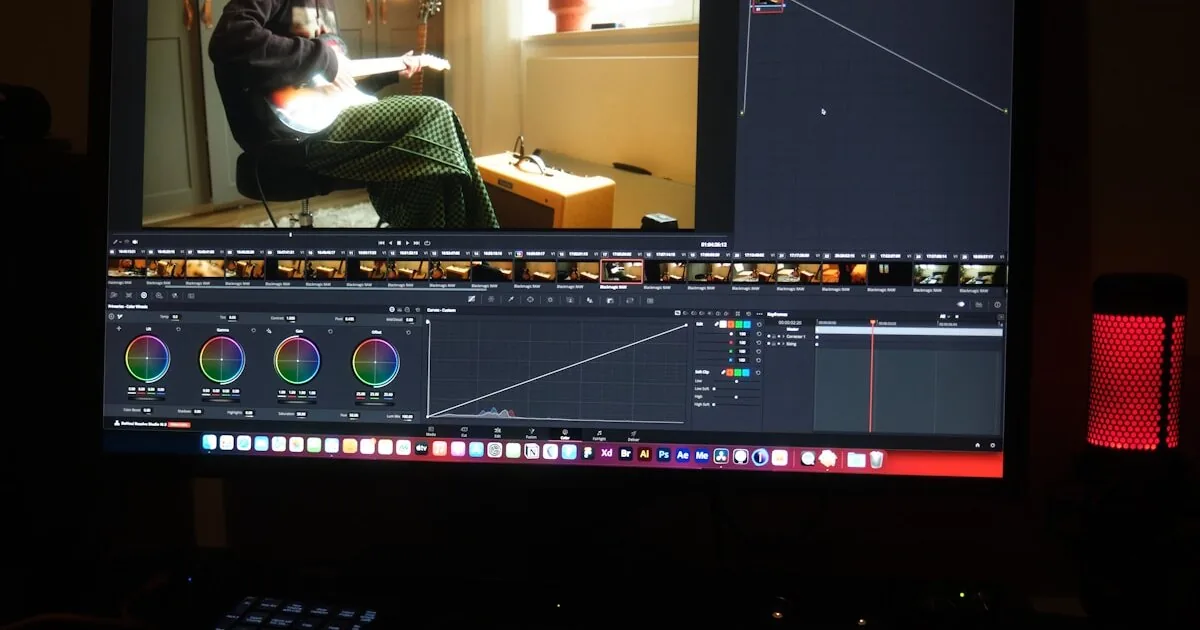
Runway, Pika, Kling, CapCut AI — the new generation of AI video editors can cut, composite, and color-grade in minutes. Here's what actually works, what's still hype, and how production workflows are changing.
Two years ago, making a 60-second branded video required a videographer, an editor, a motion graphics artist, and a colorist. Budget: $3,000–$8,000. Timeline: two to four weeks. Today, a single operator with the right AI tools can produce comparable work in an afternoon. Not hypothetically — we’ve done it.
The AI video editing landscape has matured past the “interesting demo” stage. Tools like Runway, Pika, Kling, and CapCut AI are shipping production-ready features that handle tasks previously requiring specialized skill and expensive software. But the gap between marketing claims and real-world reliability is wide enough to waste serious money if you pick wrong.
This is a practical guide. What each tool actually does well, where each one fails, and how to structure a production workflow around AI in 2026.
The State of AI Video Editing in 2026
The category has split into two distinct layers:
Generation tools create video from text, images, or short clips. Runway Gen-3 and Pika 2.0 lead here. You give them a prompt or a reference frame, and they produce 5–15 seconds of footage. Quality has improved dramatically — consistent lighting, coherent motion, fewer of the melting-face artifacts that defined 2024.
Editing tools work with your existing footage. CapCut AI and Runway’s editor handle cuts, transitions, color grading, background removal, captioning, and audio cleanup. These tools don’t create footage from nothing — they accelerate the post-production work that eats most of a production timeline.
The mistake most teams make: treating both layers as one thing. Generating a video from scratch and editing existing footage are fundamentally different workflows with different tools and different quality bars.
Tool-by-Tool Breakdown
Runway Gen-3 Alpha Turbo
What it does well: Runway remains the strongest all-around platform. Gen-3 produces the most consistent short-form video from text and image prompts. The motion brush feature — where you draw the direction of movement on a still frame — is genuinely useful for hero shots and product reveals. The built-in editor handles multi-track timelines, and the AI-powered color matching works reliably across clips.
Where it falls short: Cost scales fast. Serious use runs $75–$150/month, and generation credits burn quickly during iteration. Long-form coherence is still weak — anything beyond 10 seconds tends to drift in style or introduce artifacts. Audio generation is basic; you’ll need a separate tool for voiceover or sound design.
Best for: Product videos, social media hero content, prototype visualizations, and any workflow where you need to go from concept to footage quickly.
Pika 2.0
What it does well: Pika has carved out a niche in stylistic transformation. Its “Scenes” feature takes a single reference image and generates a 4-second clip with camera movement that feels intentional, not random. The lip-sync feature for talking-head content is the best in class right now — feed it an audio track and a still photo, and the output is convincing enough for social media.
Where it falls short: The editing suite is thin. Pika is a generation tool, not an editor. Exported clips need post-processing in another tool. Resolution maxes out at 1080p for most generation modes, which limits broadcast and large-screen use. The free tier is extremely restricted.
Best for: Social media clips, talking-head content from stills, stylized brand animations, and rapid concept testing.
Kling 1.6
What it does well: Kling, from Kuaishou, generates the longest coherent clips in the category — up to 30 seconds with reasonable consistency. For B-roll and establishing shots, it produces footage that genuinely passes as stock video. The motion model handles landscapes, cityscapes, and slow-pan shots particularly well. Pricing is aggressive — roughly half of Runway for comparable output.
Where it falls short: Human figures remain a problem. Hands, facial expressions, and complex body movements still produce artifacts that are immediately noticeable. The interface is less polished than Western competitors, and some features lack English documentation. Integration with other tools requires manual export/import.
Best for: B-roll generation, establishing shots, background footage for presentations, and any project where you need volume of footage at lower cost.
CapCut AI (Business Suite)
What it does well: CapCut has quietly become the most practical AI editing tool for teams that work with existing footage. Auto-captioning is fast and accurate across 50+ languages — including Arabic, which most competitors handle poorly. (For the script preparation side, see our Arabic Teleprompter guide.) The AI-powered cut detection identifies scene boundaries and suggests edit points. Background removal works in real-time on video, not just stills. The batch processing features let you reformat one video into six social platform formats in minutes.
Where it falls short: CapCut does not generate footage. It is purely an editing and post-production tool. The AI features are powerful but constrained — you’re working with templates and presets, not custom models. Export quality caps at 4K but compression can be aggressive. The business tier pricing is opaque and region-dependent.
Best for: Social media post-production, batch reformatting, captioning (especially multilingual), and teams that shoot their own footage but need to cut production time in half.
What’s Real vs. What’s Hype
Let’s be direct about what AI video tools can and cannot do in April 2026.
Real and Production-Ready
- Auto-captioning and translation. This works. Accuracy is above 95% for major languages, and the time savings are enormous. A task that took an editor two hours now takes three minutes.
- Background removal on video. Real-time, reliable, good enough for social media and web. Not broadcast quality for complex scenes, but functional.
- Color matching across clips. Feed the tool a reference frame and it will match the grade across your timeline. Not perfect, but it gets you 80% of the way in seconds.
- B-roll generation from prompts. For landscapes, product shots, and abstract visuals, AI-generated B-roll is indistinguishable from stock footage at social media resolution.
- Batch reformatting. Taking a 16:9 video and intelligently cropping it for 9:16, 1:1, and 4:5 — with subject tracking — is a solved problem.
Improving but Not Reliable
- Human figure generation. Better than 2024. Still not consistent enough for hero content. Hands remain the tell. Use for background figures, not featured talent.
- Long-form coherence. Anything over 15 seconds will likely need manual intervention to fix drift, style inconsistencies, or physics violations.
- Voice cloning and lip-sync. Convincing at social media resolution with short clips. Falls apart on close-ups or extended dialogue.
- Music generation. AI-generated background tracks are usable but generic. For anything with specific emotional beats, you still want a library or a composer.
Still Hype
- End-to-end video production from a text brief. No tool produces a polished 2-minute brand video from a paragraph of text. Not in 2026. The demos are cherry-picked. Real production requires human judgment at every stage.
- Replacing professional editors for high-stakes content. AI accelerates editors. It does not replace them for broadcast, cinema, or premium brand work. The eye can detect AI artifacts faster than the tools can eliminate them.
- Real-time AI editing during live production. The latency and error rate make this impractical for anything where mistakes are visible.
A Practical AI Video Workflow
Here’s how we structure AI-assisted video production at Alsheikh Media. This is not theoretical — it’s what we actually run.
Pre-Production (Human-Led)
- Brief and storyboard. A human writes the creative brief and sketches the shot list. AI can help brainstorm, but the creative direction must come from someone who understands the brand and audience.
- Asset gathering. Collect existing footage, brand assets, audio tracks. Identify gaps where AI generation could fill in.
- Tool selection. Based on the brief, pick which AI tools serve which parts of the pipeline. Not every project needs generation — many only need accelerated editing.
Production (Hybrid)
- Shoot what needs to be real. Talking heads, product close-ups, interviews, anything where authenticity matters. AI can’t fake genuine human connection on camera.
- Generate what can be synthetic. B-roll, transitions, establishing shots, abstract visuals. This is where Runway and Kling earn their subscription cost.
- First assembly in CapCut or Runway editor. Let the AI suggest cuts and handle rough assembly. Review and adjust the structure.
Post-Production (AI-Accelerated)
- Color grade with AI matching. Set the grade on your hero shot and propagate across the timeline.
- Caption and localize. CapCut’s auto-captioning handles this in minutes. Review for accuracy, especially for technical terms and proper nouns.
- Reformat for platforms. One master cut becomes six deliverables. AI handles the crop and reframe.
- Human review. A real editor watches the final cut. Not for ego — for quality. AI misses things. Context, pacing, emotional beats, brand alignment. A human catches what algorithms cannot.
Time Savings
On a typical 60-second social media video:
| Task | Traditional | AI-Assisted |
|---|---|---|
| B-roll sourcing | 2–3 hours | 15 minutes |
| Rough cut | 3–4 hours | 30 minutes |
| Color grading | 1–2 hours | 10 minutes |
| Captioning (2 languages) | 2 hours | 5 minutes |
| Platform reformatting | 1–2 hours | 10 minutes |
| Total post-production | 9–13 hours | 1–2 hours |
That is not a minor efficiency gain. That is a structural change in what a small team can produce.
Cost Reality
The tools are not free, and the costs add up when you move beyond casual use.
A realistic monthly budget for a small production team using AI tools:
- Runway Pro: $35/month (2,250 credits; Unlimited at $95/month for heavier use)
- Pika Pro: $35/month (2,300 credits; Standard at $10/month for lighter use)
- CapCut Business: $30–$80/month per seat
- Kling Pro: $26/month (3,000 credits; Premier at $65/month for volume work)
Total: $125–$200/month for a solo operator, $300–$500/month for a small team.
Compare that to a single freelance video editor at $50–$100/hour. If AI tools save you even 10 hours of editing time per month, the ROI is immediate. The tools pay for themselves on the first project.
But budget for iteration. AI generation is not “one prompt, one perfect output.” Expect to generate 5–10 versions of a clip before one is usable. Plan your credits accordingly.
What This Means for Production Teams
The honest answer: AI video tools are eliminating the need for large post-production teams on standard commercial content. A team of three can now produce what required eight people two years ago. (We wrote about structuring small content teams in How to Build a Corporate Content Engine with a Team of 3.)
This doesn’t mean editors are obsolete. It means the editor’s role is shifting from mechanical execution to creative direction. The editor who thrives in 2026 is not the one who makes the fastest cuts — it’s the one who knows which cuts to make and can direct AI tools to execute that vision.
For agencies and production companies, the calculus is simple:
- Adopt AI tools or lose on speed and price. Competitors using these tools will deliver faster and cheaper. This is already happening.
- Invest in creative direction, not manual execution. The value is in knowing what to make, not in the physical act of making it.
- Be honest about quality tiers. AI-assisted production is excellent for social media, good for web, and not yet ready for broadcast. Match the tool to the tier.
What You Should Try This Week
If you produce any video content, here’s a practical starting point:
- Sign up for CapCut Business and run your next video through its auto-captioning and reformatting pipeline. This is the lowest-risk, highest-immediate-return entry point.
- Generate 10 B-roll clips in Runway or Kling using prompts from your next project’s shot list. See how many are usable without modification.
- Time your current workflow on the next video project. Track hours per task. Then identify which tasks could be AI-assisted based on this guide.
- Set a quality bar. Decide which content can use AI-generated elements and which cannot. Social media posts are almost always safe. Client deliverables need case-by-case judgment.
The tools are mature enough to use today. The question is not whether AI video editing works — it does. The question is whether your team is structured to take advantage of it. The production teams that adapt now will set the pace. The ones that wait will spend the next two years catching up.